
Download eSearchy – search, privacy, torrent, local files, portable, online, no installation
Overview
eSearchy is a lightweight, portable mobile application designed for users seeking a discreet and efficient way to conduct both online and local searches. Built with privacy at its core, the app allows individuals to perform queries without installing software, making it ideal for temporary use or environments where device restrictions apply. Its primary function is to provide instant access to search results—whether from the web or local storage—without leaving behind digital traces, which appeals strongly to privacy-conscious users. The app’s ability to support torrent file searches adds a unique utility for those looking to locate downloadable content securely and anonymously.
Target users include individuals who value data confidentiality, such as researchers, journalists, or casual users concerned about tracking. It also serves as a convenient tool for people using shared or public devices where installing apps is not feasible. The app’s minimal footprint and immediate usability make it suitable for quick information retrieval in sensitive situations. Although the developer did not provide additional technical details, its long-standing presence since 2011 suggests a stable and functional design. In the broader app ecosystem, eSearchy occupies a niche role as a privacy-first search utility, filling a gap left by mainstream search tools that often collect user data.
Key Features & Functionality
- No Installation Required: eSearchy operates directly from the downloaded file, eliminating the need for system-level installation. This allows users to run the app on any compatible device without altering settings or consuming storage space.
- Privacy-Focused Searches: The app is designed to prevent data logging and tracking, ensuring that user queries remain confidential and are not stored or transmitted beyond the session.
- Local and Online Query Support: Users can search both internet content and files stored on their device’s internal or external storage, enabling comprehensive information access from a single interface.
- Torrent Search Capability: eSearchy includes functionality to locate torrent files, providing users with a list of relevant results without requiring third-party clients or complex configurations.
- User-Friendly Interface: The layout is simple and intuitive, allowing users to enter search terms and view results in real time with minimal navigation steps.
For example, a user in a public library could use eSearchy to search for academic papers stored locally on their device while simultaneously checking online sources—without leaving a trace. Another scenario involves someone seeking specific media files via torrents without triggering privacy alerts on their network. The app’s seamless integration of local and remote search functions enhances productivity and discretion in sensitive environments.
Interface, UX & Performance
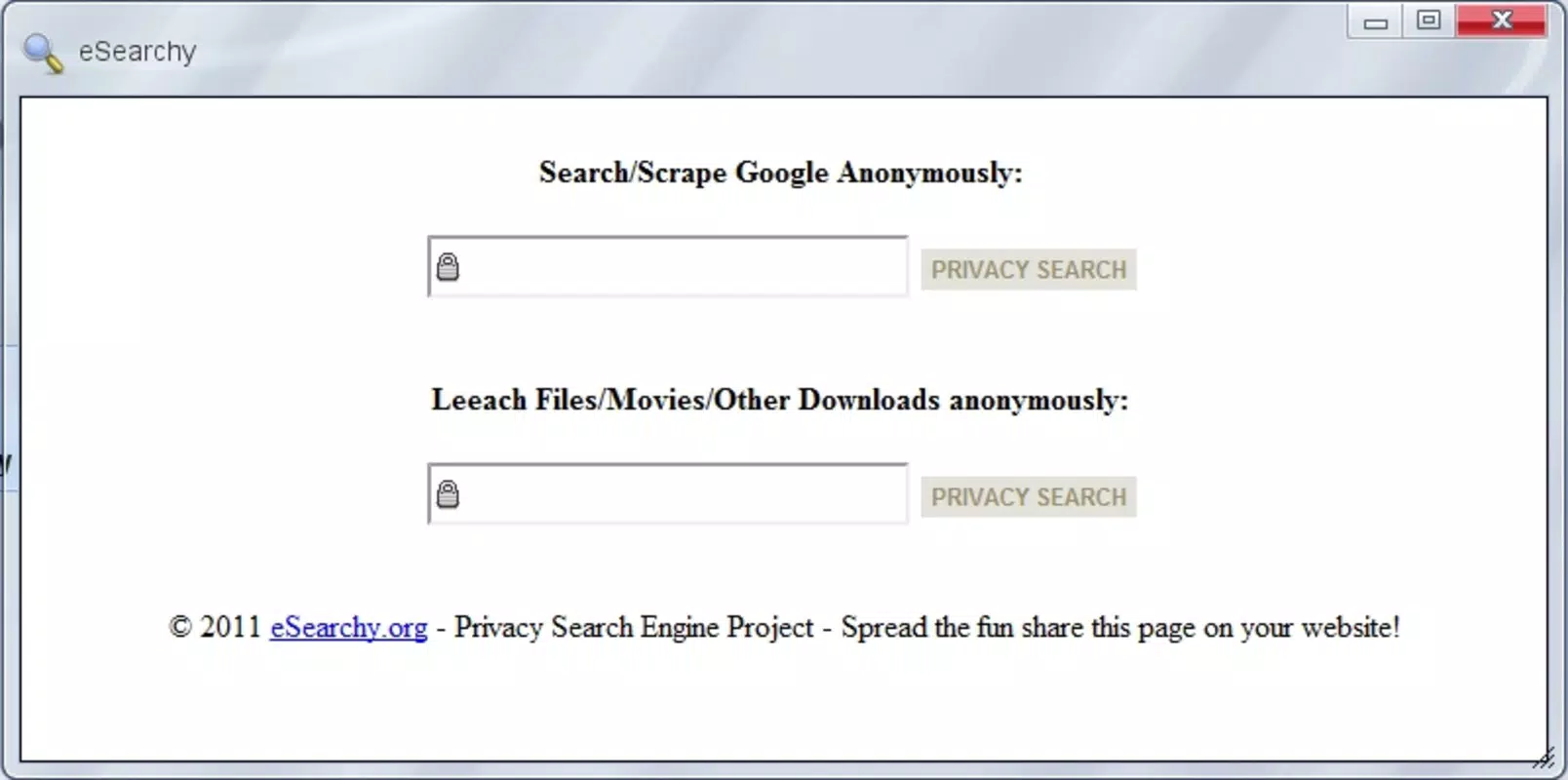
The user interface of eSearchy is minimalistic, focusing on core functionality without visual clutter. It features a central search bar, clear result display areas, and straightforward navigation between search types. The design prioritizes usability, allowing users to input queries and view results with few taps. Although the developer did not list formal performance metrics, the app’s small file size of 2.5 MB suggests optimized resource usage, likely contributing to fast startup times and smooth operation.
Performance across different device categories appears to be consistent due to its lightweight nature. It is expected to run efficiently on older Android devices as well as newer models, though specific compatibility details were not disclosed. Responsiveness is likely strong given the app’s simple architecture and lack of background processes. Stability is implied by its long-standing availability since 2011, though real-world usage patterns beyond the provided data are not available. The app does not require permissions beyond basic access to storage and internet, which aligns with its privacy-focused approach.
Platform Compatibility & Technical Requirements
eSearchy is available exclusively on the Android platform. The current version is 1.0.0, and the app size is 2.5 MB, making it suitable for devices with limited storage capacity. While the developer did not specify minimum OS requirements, the app’s release date of 2011 indicates compatibility with older Android versions, likely back to Android 2.3 or earlier. However, users should verify compatibility with their specific device, as modern Android updates may affect functionality. No additional hardware or software dependencies were mentioned.
Given its age and lightweight design, eSearchy may not support newer Android features such as advanced security protocols or modern UI frameworks. Nevertheless, its core functionality remains intact, offering a reliable tool for basic search tasks. Users seeking to install or update the app should ensure they are downloading from trusted sources to maintain security and integrity.
Pros and Cons
Pros
- Runs without installation, ideal for temporary or shared devices.
- Designed with privacy in mind, minimizing digital footprints.
- Supports both online and local file searches in one interface.
- Includes torrent search functionality for downloadable content.
- Small file size ensures compatibility with low-end devices.
Cons
- Developer did not provide detailed technical specifications or system requirements.
- App has not been updated since 2011, raising concerns about modern compatibility.
- Limited to Android platform; no iOS or other OS availability.
- No official support channels or user documentation provided.
- Interface may appear outdated compared to modern apps.
FAQ
Is eSearchy safe to use?
Yes, the app is designed to operate without installing software and without collecting user data. However, users should only download the app from trusted sources to ensure the file has not been tampered with.
Can I use eSearchy on iOS devices?
Currently, eSearchy is only available for Android. There is no official version for iOS or other platforms.
Does eSearchy track my search history?
No, the app is designed to prevent data logging. Searches are not stored or transmitted beyond the session, supporting privacy-focused usage.
How do I update eSearchy?
As of now, the latest version is 1.0.0, released in 2011. The developer has not released any updates since then, so no official update mechanism exists.
Is eSearchy free to download and use?
Yes, eSearchy is available at no cost. There are no in-app purchases or subscription models.
Final Thoughts
eSearchy remains a unique solution in the mobile app landscape, offering a rare combination of portability, privacy, and dual search functionality. While its age and lack of updates may raise concerns about compatibility with modern systems, its core features continue to serve users who prioritize discretion and simplicity. It is especially valuable for individuals using public or restricted devices, or those seeking to access local files and torrent content without leaving traces. For its intended audience, eSearchy delivers a reliable, lightweight tool that stands out in a market dominated by data-driven applications.
Despite its limitations, the app’s enduring presence since 2011 speaks to its functional reliability. If you're looking for a secure, no-installation search utility with privacy-first design, eSearchy is worth considering. Download eSearchy now.


